A public notebook — always in draft, never final.
Active threads
all →Selected projects
all →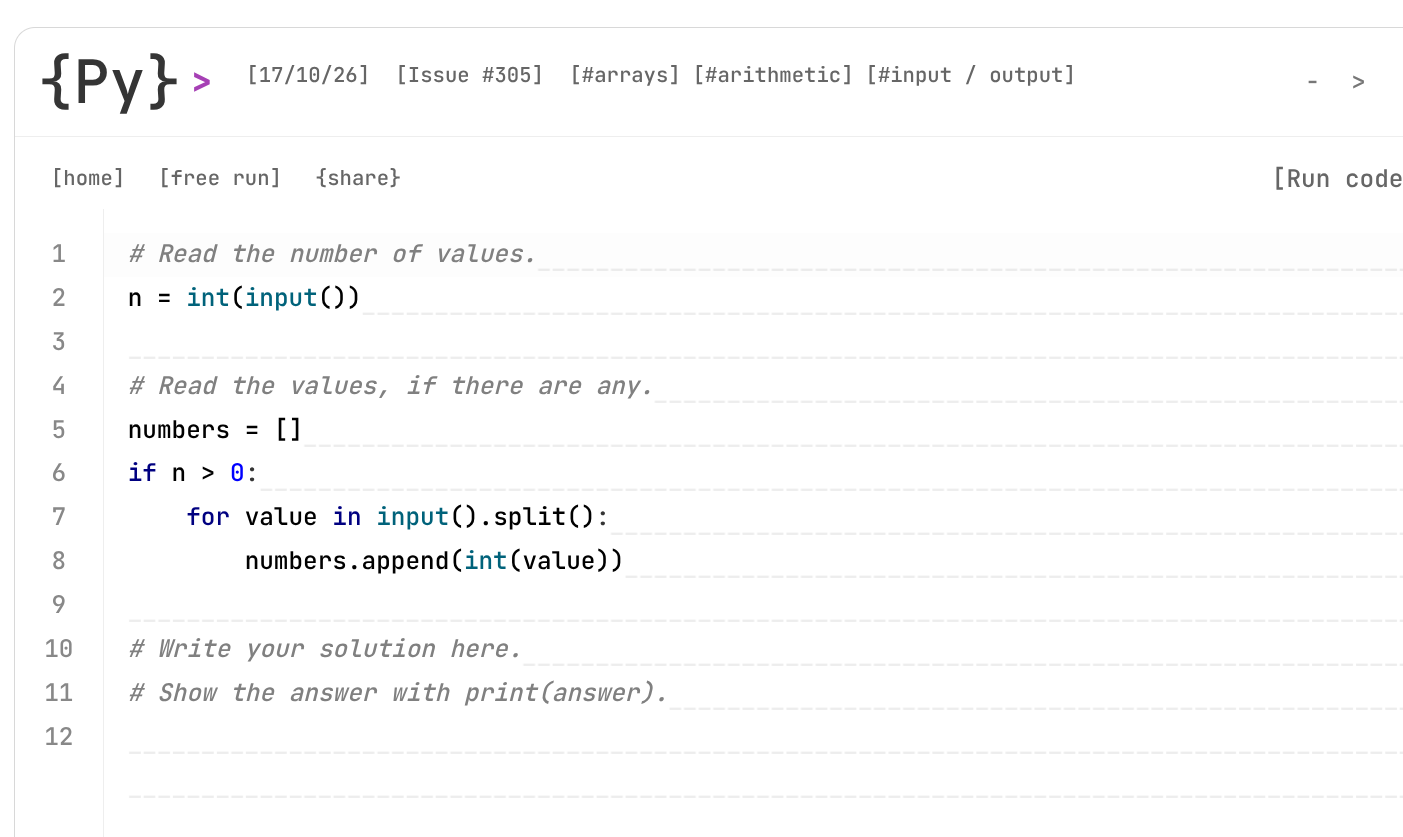 01
01NotFinalCode
publishedA minimalist coding playground inside NotFinalDev for solving Python, JavaScript, and SQL challenges with browser-local execution, immediate feedback, and as little IDE overhead as possible.
 02
02Building My First Proxmox Homelab
publishedA technical overview of my first always-on Proxmox server: a Minisforum UM890 Pro running virtual machines, LXC containers, automation, agentic AI infrastructure, monitoring, and game servers—with a NAS, VLANs, OPNsense, media services, and dedicated AI hardware still planned.
 03
03My First End-to-End Data Engineering Take-Home Challenge
publishedA two-part data engineering project combining GCP architecture design, Terraform infrastructure, BigQuery, dbt Core, data-quality tests and GitHub Actions CI using the public Bitcoin Cash blockchain dataset.
Latest articles
all →
I Used Local AI to Write Coding Problems
Oct 23, 2026 · 10 minHow I used small local models to generate coding briefs, semantically highlight inputs, and enrich NotFinalCode without letting AI become the source of truth.

Why I’m More Interested in Small Models Than Bigger LLMs
Sep 27, 2026 · 19 minI started from a question about small local decision models and data ingestion, then ended up benchmarking Laya against Kev-4B on CPU. Kev was far more accurate on my DBpedia 14 fixture, while Laya was dramatically faster under my current harness—raising a more interesting question than “which model wins?”: how much intelligence do we actually need to spend on each decision?

I Use Fedora, by the Way
Sep 18, 2026 · 6 minI tried Arch for the swagg, chose Fedora for the stability, and then spent two days customizing nearly everything anyway.
LM Studio vs Unsloth on AMD: From 13 to almost 43 Tokens per Second
Jul 26, 2026 · 18 minI benchmarked LM Studio and Unsloth Studio inside a VM on my Minisforum UM890 Pro. The same Qwen3.5 model went from 13.01 to 22.24 tok/s, while Unsloth’s dynamic Q4 variant reached a 43.06 tok/s median—with enough variation to make that number slightly suspicious.
From QGIS to GeoPandas: Mapping Telecom Data at Orange
Jul 16, 2026 · 13 minHow I learned QGIS through real telecom problems at Orange, trained field teams with QField, and turned recurring geographic analyses into GeoPandas, Streamlit, and Folium applications for non-technical users.
Latest notes
all → Aug 28, 2026
A Better Way to Open an Uglier Window Noctalia already had a Spotify search plugin. It was almost perfect. Almost. I could open the launcher with , type followed by a song name, and get matching results. The only thing missing was album-cover caching. Which sounds minor until you care too much about UI. Without the covers loading properly, the feature worked, but it did not feel finished. So I fixed the caching. Now I can open the launcher, search for a song, see the correct cover art, press Enter, and Spotify opens with the track already playing. This is exactly the kind of unnecessary integration that makes a desktop feel personal. It is also slightly absurd. I still cannot get Spotify’s ugly blue title bar to match the rest of the theme. The application itself refuses to blend in, but I can now summon any song from a perfectly themed launcher with its album artwork displayed correctly. The difficult part was not making Spotify easier to use. The difficult part remains convincing it not to look like a surviving component from Windows Vista. I plan to extend the same launcher idea beyond music. Anime, series, movies, YouTube, and anything else that makes sense to search without opening a browser first. I will publish the code with light documentation. A complete setup guide would probably be dishonest anyway. Linux desktops are too personal. Everyone has a different compositor, launcher, theme, package format, keybinding, and opinion about where configuration files should live. The code can be shared. The consequences are yours. For now, the feature works exactly how I wanted. Spotify still looks wrong. But at least it now looks wrong more efficiently.
 Aug 6, 2026
Ricing looks fun At first, KDE looked fine. Then I decided I wanted a taskbar at the top and an application dock at the bottom. This was apparently enough ambition to destabilize the entire concept of a desktop. I installed Noctalia because it gave me more control over the shell, the launcher, the widgets, and the overall look. It also made my window management chaotic. So I switched to Niri. Niri worked. Spotify did not like that. Under KDE, Spotify blended in well enough. Under Niri, it suddenly looked like it had arrived from another operating system and refused to acknowledge the theme around it. That was when I realized Linux theming is not one setting. Noctalia can look correct. Niri can look correct. GTK apps can look correct. KDE and Qt apps can look correct. Ghostty can look correct. Then Spotify opens with a blue title bar that looks like it escaped from Windows Vista. Apparently, every application gets a vote. The frustrating part is that “make everything match” sounds like one task. It is not. It is several theme systems, application toolkits, sandbox rules, and client-side decorations pretending to be one problem. Still, one of the most satisfying parts of the setup came from Spotify. I built a Noctalia launcher integration that can search for songs and display their album covers directly in the results. That worked. The ugly title bar remained, but the useful part finally felt integrated into the desktop. I plan to extend the same idea to more media-related content. That is probably the best summary of Linux customization so far: The thing I wanted to fix stayed blue. The feature I did not originally plan to build became one of my favorite parts of the system.
 Aug 5, 2026
Making Fedora Last More Than Five Hours When I bought this laptop in 2024, Intel had apparently discovered battery life. Six hours on a Windows laptop suddenly felt possible. Apple’s M-series chips were still the obvious benchmark for efficiency, but I wanted to stay on Windows at the time, so the Intel Core Ultra 9 185H felt like a reasonable compromise. Fast-forward to 2026. The battery now holds around 87% of its original capacity, Windows was filled with third-party services and bundled software, and the machine regularly used around 12 GB of RAM while doing absolutely nothing. An impressive amount of resources dedicated to being idle. Part of my move to Fedora was about reclaiming that performance and efficiency. I also wanted animated wallpapers, something I had avoided on Windows out of fear that a wallpaper application would permanently reserve half the computer. On Linux, I connected the visual experience to the power profile instead. | Profile | Refresh rate | Wallpaper | | --- | --- | --- | | Performance | 120 Hz | Animated | | Balanced | 120 Hz normally, 60 Hz on low battery | Animated normally, static when discharging at 80% or below | | Power saver | 60 Hz | Static | The power settings, display refresh rate, and wallpaper behavior now change together instead of acting like three unrelated systems. When the session is locked, the computer is idle, or the display turns off, the animated wallpaper process stops and the screen drops to 60 Hz. After five minutes of inactivity, the internal display dims to 30%. In power-saver mode, it drops to 5%. The objective was not to turn the laptop into a slow machine with a nice battery estimate. I bought a 3K OLED display capable of 120 Hz because I wanted to use it. The point was to keep the expensive features available when they make sense and stop paying for them when I am not even looking at the screen. That is what I like about the setup now. Performance mode behaves like performance mode. Power saver actually saves power. Balanced mode makes decisions based on the battery instead of simply having a reassuring name in a menu. I moved to Linux because I wanted more control over the machine. Apparently, that also meant personally negotiating when my wallpaper was allowed to move.
 Aug 2, 2026
Working Is Not the Same as Understanding During a technical interview, a Google Developer Expert in Data Analytics reviewed the Bitcoin Cash data platform I had built for a Data Engineer take-home challenge. The project used Terraform, BigQuery, dbt Core, and GitHub Actions. It was also my first time using Terraform. The review was positive. The reviewer especially appreciated how I had used AI. I did not let it complete the project for me. I used it to move faster through unfamiliar tools, then went back through the code, logs, and architecture until I could explain what most parts were doing. Most parts. When I was asked why I had configured the BigQuery permissions in a specific way, I could explain what the roles allowed, but not why I had chosen them. The honest answer was simple: I had let the AI decide. The reviewer explained that BigQuery separates compute from storage. A service account needs permission to create query jobs, but it also needs permission to read or modify the relevant datasets. The configuration worked. My understanding arrived later. We also discussed Terraform. I knew how to use to preview changes and to deploy them, but my state file was still stored locally. That may be acceptable for a small personal project, but not for a team. Shared infrastructure state should usually live in a secured remote backend so it does not depend on one person’s machine. He recommended that I learn more about Terraform’s , , and lifecycle, as well as dbt Cloud and its configuration system. The most useful part of the interview was not the technical correction. It was the direction it gave me. The engineers I spoke with were able to move between data analysis and data engineering depending on the problem. That is the kind of profile I want to build. My long-term goal is to become a data project manager, but I do not want to reach that role only knowing how to manage deadlines and meetings. I want practical experience in analysis, engineering, infrastructure, and delivery. I want to understand the work before I am responsible for leading it. This project showed me that AI can help me enter unfamiliar technical territory quickly. The review reminded me that a working system is only the beginning. The next step is being able to explain every decision inside it.
 ↗ linkJul 27, 2026
A small thank you to Dither UI I recently came across Dither UI, created by @grimcodes, and it immediately matched the visual direction I wanted for NotFinalDev. Because the library and my website use different frameworks, I could not integrate it directly. Instead, I built a small implementation inspired by its dithered aesthetic and adapted it to my existing Markdown publishing system. That currently includes dithered charts, step-based visual blocks and an editor that can insert editable JSON components directly into my notes and projects. It is only a modest adaptation, but it helped NotFinalDev feel much closer to the monochrome, technical public notebook I had in mind. Full credit to @grimcodes for the original library and the inspiration behind it.
From X
all →I built NotFinalCode, a minimalist coding playground inside NotFinalDev. It sits somewhere between reading a programming problem and opening a full IDE: Python, JavaScript, and SQL browser-local execution 600+ coding issues free-run mode Try it here: https://t.co/c1okGGnOWb https://t.co/bJqzy8OI29
@TeksEdge That's exactly what I want to do !
ofc the pill notification https://t.co/eq7fykYXKN

